18 formats · one pipeline · MIT open source
livefigures
The source is the figure.
Reference an .excalidraw, .vl.json, or .dot file — or write four lines of diagram inline — and quarto render draws it. Version-controlled, never stale, and editable by you and your AI agents alike.
quarto add seandavi/quarto-livefigures
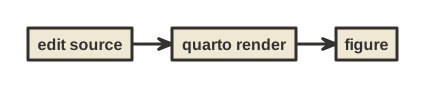
figures/flow.noml
#direction: right
[edit source] -> [quarto render]
[quarto render] -> [figure]
renders to ⟶
No exported SVGs to maintain. No generated files in version control. Captions, cross-references (like Figure 1), sizing, subfigures, and lightbox all behave exactly like native Quarto figures — because they are native Quarto figures by the time Quarto sees them.
One idea, four tools
Extension
Figures from source files or fenced blocks, rendered inside quarto render. HTML, PDF, slides.
MCP server
Your agent writes a figure, calls render, and sees the image — before it lands in your document.
CLI
npx livefigures — render and validate any figure source from the shell or CI.
Agent skill
One Markdown briefing that makes any coding agent fluent in all 18 formats.
The loop
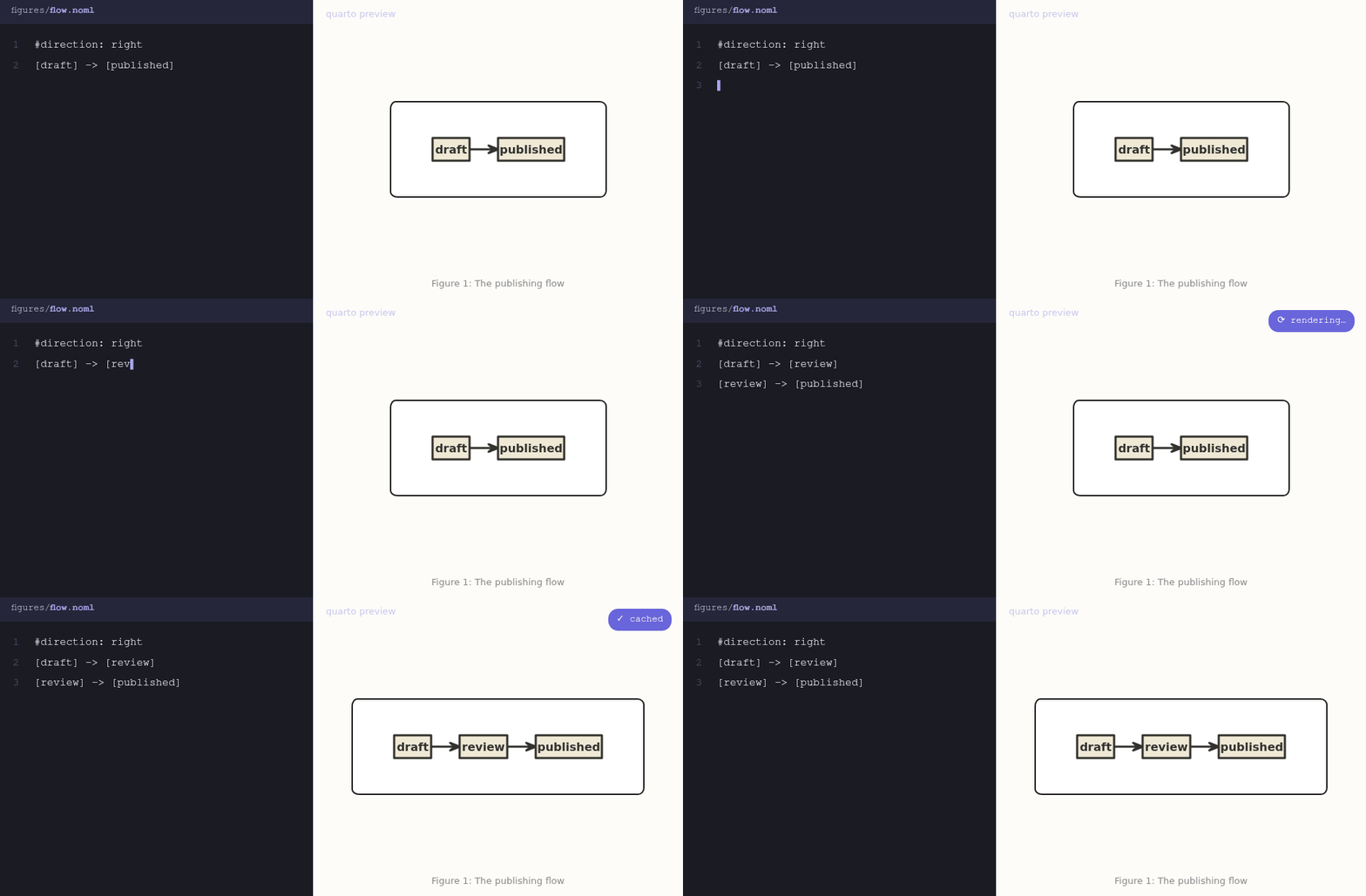
Change the source, render, done — the figure can never go stale, because there is nothing to forget to regenerate:
And hand-drawn sources are real, editable scenes — this one is arch.excalidraw, which you can open at excalidraw.com (Figure 2):
18 formats, one pipeline
Local & offline: .excalidraw .vl.json .vg.json .dot .gv .dbml .noml .wavedrom .bytefield
Via kroki: .puml .d2 .c4 .structurizr .erd .ditaa .pikchr .svgbob .tikz
Every format was chosen for agent fluency — text and JSON sources LLMs author reliably. See the gallery for all of them, live, or Formats for choosing one.
Doesn’t Quarto already do this?
Quarto ships excellent built-in support for Mermaid and Graphviz — as executable code cells. livefigures is complementary, and different in kind:
Native ```{mermaid} / ```{dot} |
livefigures | |
|---|---|---|
| Formats | 2 | 18 — incl. Excalidraw, Vega-Lite, PlantUML, WaveDrom … |
| Source | code cells only | files () or fenced blocks |
| Editable-tool formats | — | Excalidraw scenes edited in a real editor |
| PDF output | browser-dependent | bundled deterministic rasterizer, correct fonts |
| Caching | per-render | content-addressed, instant warm rebuilds |
If Mermaid in a code cell covers your needs, use it! livefigures is for everything it doesn’t cover.
The same goes for the community extensions — pandoc-ext/diagram (code cells via locally installed tools) and the two quarto-kroki filters (code cells via a kroki server). livefigures differs in kind: file-referenced sources with native image syntax, bundled renderers (nothing to install, no network for local formats), deterministic PDF, content-addressed caching, and the agent tooling (skill, MCP, CLI).
Why
Diagrams-as-code tools occupy an awkward middle ground: editable sources, static outputs, manual exports that go stale, and both checked into git. livefigures removes the export step — it’s the literate-programming idea (Knuth 1984) applied to the one part of a document that still lives outside it. And now that AI agents write and revise documents alongside us, a figure that exists as fifteen lines of reviewable text is a figure an agent can maintain.
Whatever brings you here, there’s a short path: writing a paper or site → Get started · browsing what it can draw → Gallery · setting up your agent → Agent skill, MCP server, or the CLI.